Milan Modern invoice template
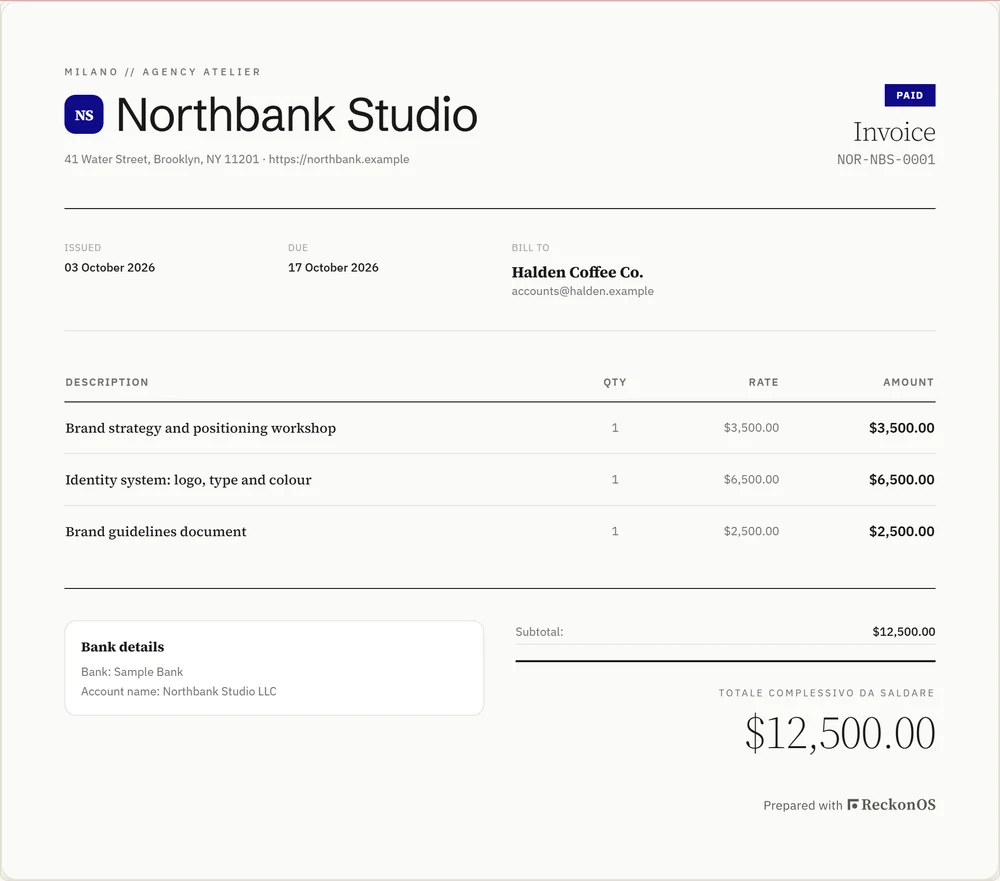
Milan Modern is an editorial invoice template in ReckonOS on light paper: high-contrast serif type and an oversized total. It prints your logo and brand colour, the tax lines for your client’s country and a link to pay, and it is included in every plan.
- Style
- Editorial
- Paper
- Light
- Default accent
- #1A1817, replaced by your brand colour
- Our suggestion
- Branding and editorial studios that like a bold typographic statement.
Design notes
High-contrast serif headings and a very large total make the amount due impossible to miss.
The rest of the page is restrained, so the total carries the design.
In Milan Modern, as in every template
- Your uploaded logo, or a monogram from your business name if you have none
- Your brand colour in place of the template’s default accent
- The tax lines and the reason for the treatment, such as reverse charge, printed on the invoice
- The currency’s own symbol, such as $, £, € or ₦, with amounts to the cent
- A private link where your client views, downloads and pays
- One download format for the whole workspace, PDF or PNG
More editorial templates
- Savile Row Editorial Classic serif titles with double rules
- Monochrome Black and white only, with fine hairline rules
- Atelier Serif Warm charcoal ink on fine linen paper, delicate italic item descriptions
- Swiss Modern Grid Swiss typography, asymmetric columns and hairline dividers
Next: Swiss Modern Grid · How invoicing works
Questions
Is the Milan Modern template free?
Milan Modern is one of the 15 templates included in every ReckonOS plan, Starter included. There is no separate template fee.
Will Milan Modern use my logo and colours?
Yes. Milan Modern prints your uploaded logo, or a monogram from your business name if you have none, and uses your workspace brand colour in place of its default accent.
Send your next invoice in Milan Modern.
Set up your workspace, add your logo and send an invoice in your own template. Every feature is open during the trial.
$7 today for 7 days of full access. On day 7 Starter starts at $49 a month (or $468 a year) unless you cancel first. Cancel any time from Settings > Billing. VAT or sales tax may be added at checkout.